



Stecotec Coin Collector Pro 3 – Coin Inventory Software for Windows
Original price was: $39.95.$34.95Current price is: $34.95.
Organize your coin collection with this coin inventory software for Windows. Track purchases, sales, and everything else related to your hobby. Supports all coin types like PCGS/NGC graded Morgan Dollars, Silver Eagles etc. Built for serious numismatists and casual hobbyists.
Coin Inventory Software for Windows to Organize and Track Your Collection
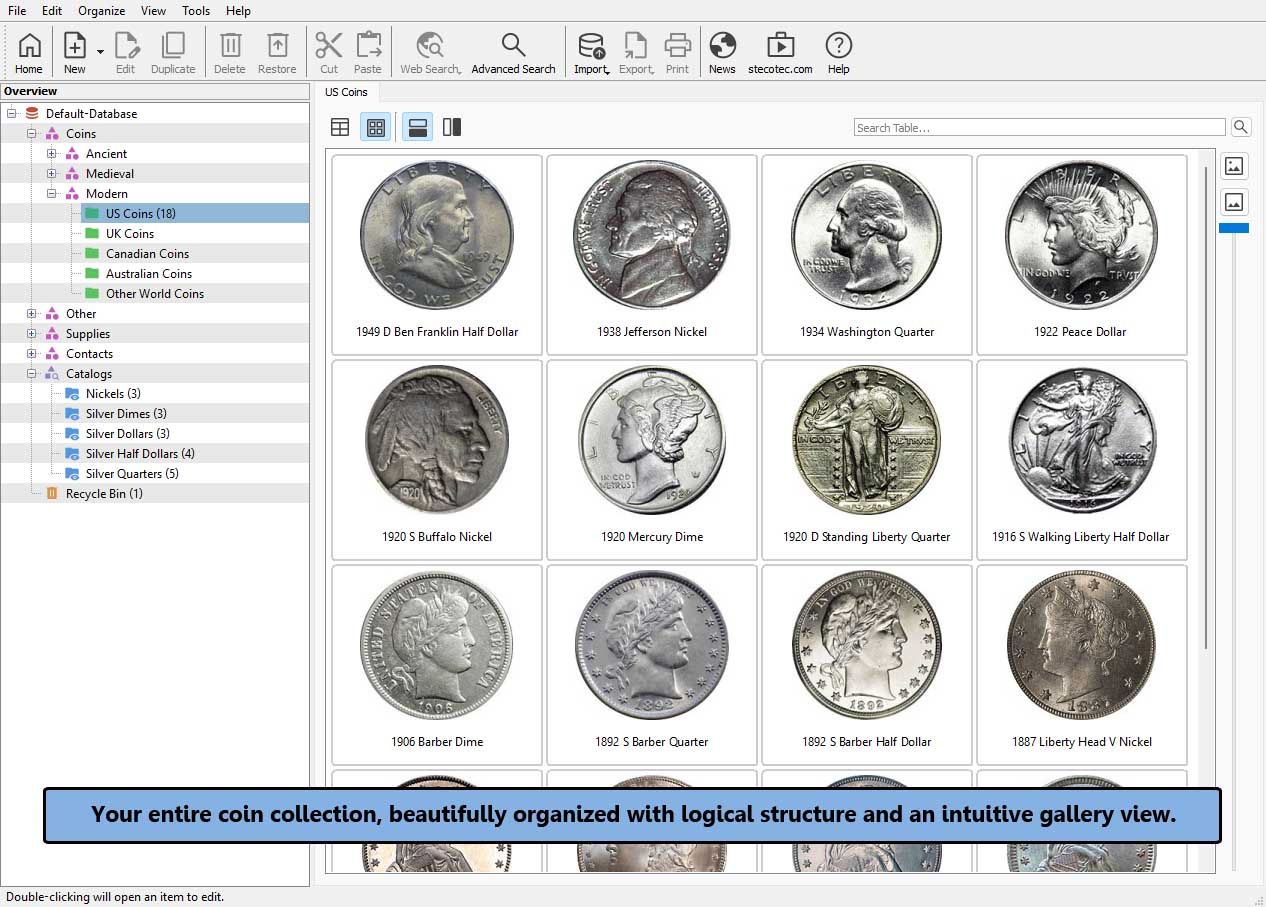
Stecotec Coin Collector Pro 3 is easy-to-use coin inventory software for Windows that helps you organize, value, and track your collection from day one. Whether you are starting out with a pocketful of interesting finds or managing a mature, high-value collection, this coin collector software adapts to your pace. Keep close track of purchase costs, selling prices, and the evolving value of your collection through simple overviews and automated statistics.
Catalog Every Coin Type From Ancient Denarii to Silver Eagles
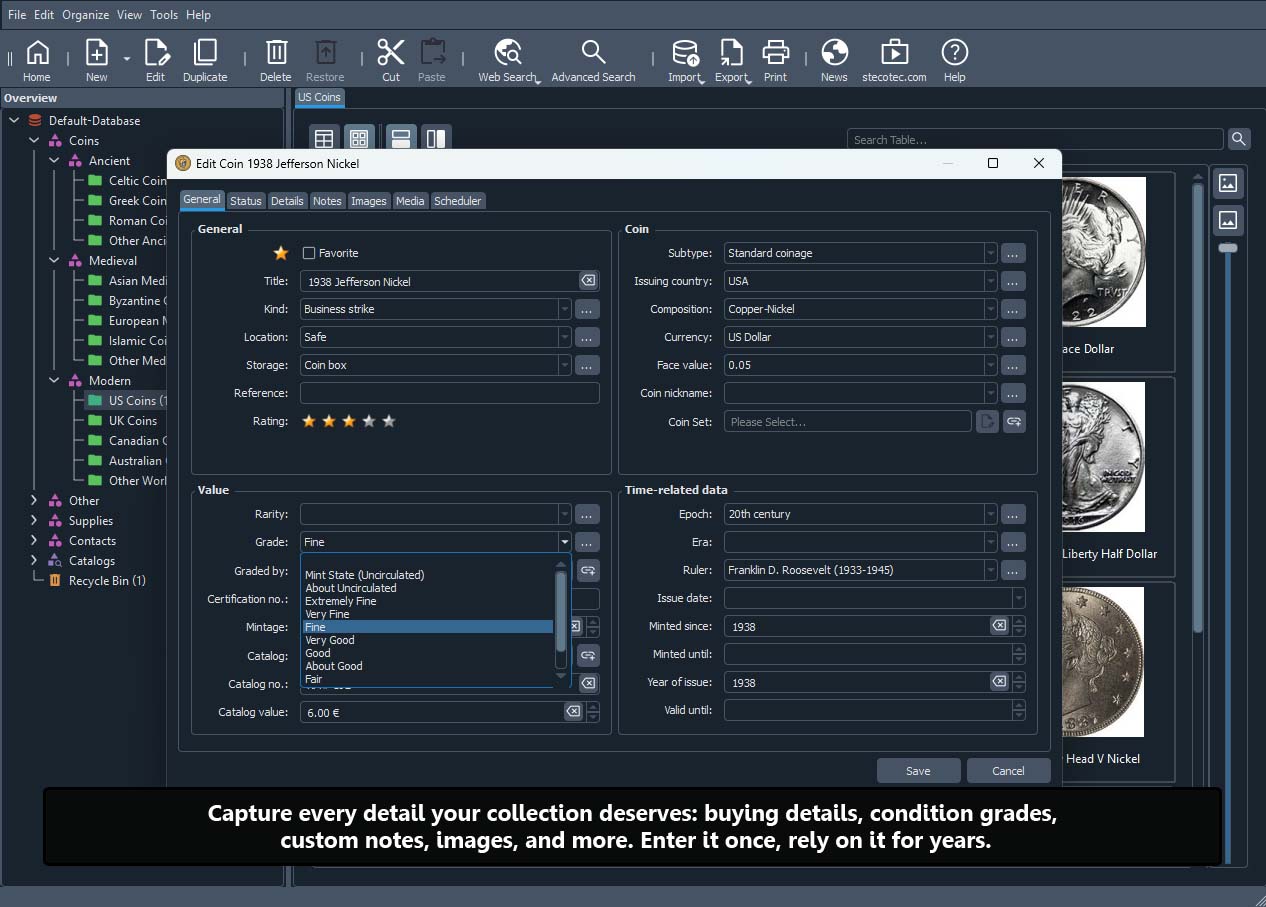
It makes no difference whether you collect modern American Silver Eagles, hunt for historic Morgan Dollars, or explore ancient Roman denarii. This intuitive coin collecting software is built to catalog every coin type without ever feeling overwhelming. You can log:
- PCGS, NGC, and ANACS graded coins or raw strikes
- Sheldon scale grades and certification numbers
- Mint, Proof, and Year sets to map out complete collections
- Edge lettering, mint, engraver, and over 120 individual data fields
More Than Coins: Organize Certificates, Books, and Supplies
Beyond individual coins, this coin inventory program lets you catalog certificates of authenticity (COAs), your numismatic book library, important dealer contacts, upcoming auction dates, invoices, and all your collecting supplies. Every aspect of your hobby is documented in one centralized place, so nothing gets lost or forgotten.
Protect Your Investment and Your Records
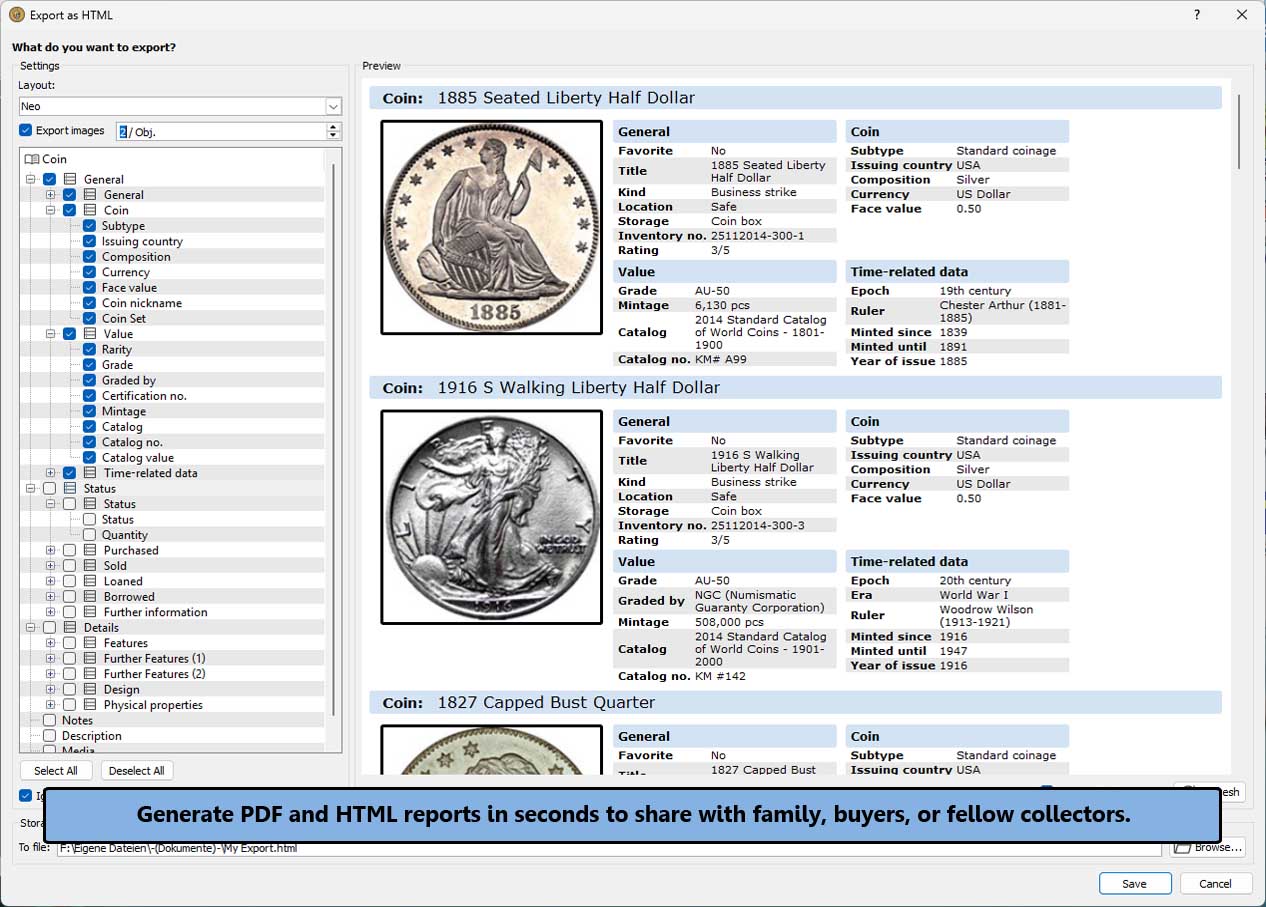
Use this coin management software to create a detailed inventory for insurance, personal records, and estate planning. Generate PDF and HTML reports in seconds to share with family, buyers, or fellow collectors. It also makes an ideal gift for the coin enthusiast in your life. Get Stecotec Coin Collector Pro 3 today via instant digital download and take control of your collection.
Key Features of Stecotec Coin Collector Pro 3
Easy to Use A convenient, simple, and clear interface puts the most important features one click away. No frustration, no learning curve, just open the program and get started.
|
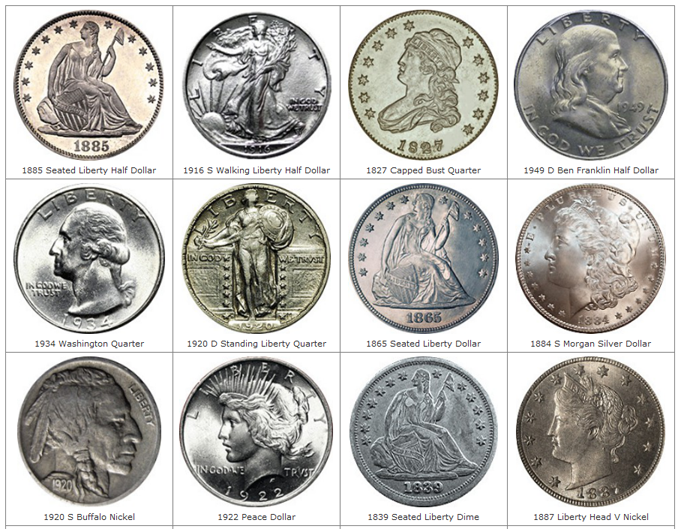
Unlimited Images Assign an unlimited number of high-resolution photos to each coin, whether ancient, medieval, or modern. A scalable gallery view and built-in image viewer give you the perfect overview.
|
Automatic Charts and Tables Generate sophisticated statistics in real time for almost any data field. This powerful coin inventory program reveals new insights into the composition and growth of your collection.
|
Costs, Realizations, and Appreciation Do you know the current market value of your collection? With this software, you can keep track of acquisition costs, auction realizations, current value, and even the historical appreciation of your collection.
|
Comprehensive Data Fields Does your coin have edge lettering? When and where was it struck? Who was the engraver? More than 120 individual data fields leave nothing to be desired, and you can define your own custom fields whenever needed.
|
Data Import and Export Already using another coin inventory program or Excel? CSV import makes migration simple, and the program reads data from any spreadsheet application. Exporting your data to CSV is just as straightforward.
|
Custom Categories and Folders Decide what matters most and organize your coins by design type, era, denomination, or series. An unlimited number of custom categories and folders makes any organizational system possible.
|
Manage Books and Contacts Log not only coins but also Red Books, auction catalogs, reference library titles, dealer contacts, and more. Catalog absolutely everything related to your hobby.
|
Search Your Collection Looking for a specific 1960s commemorative with a particular mintmark? Even the most complex search queries are quick and easy to run.
|
Preloaded Numismatic Data Skip the typing. Choose from preloaded currencies, Mint Directors, famous engravers, and more to speed up data entry.
|
Print Custom Overviews Print a tailored overview for any coin or your entire collection. Choose from a variety of pre-designed templates to match your needs, and fine-tune exactly which images and data fields should be included in each printout.
|
Loaned, Sold, or Wanted Tag coins as owned, loaned out, sold, or on your want list. Generate corresponding reports with a single click for perfect oversight.
|
Generate PDF and HTML Files Create overviews or tables in PDF and HTML format. Share your treasures with buyers or fellow collectors, or embed them on your own website.
|
Never Lose Track Again Are you looking for a specific coin but can’t remember where you put it? The built-in storage location manager saves time and prevents headaches.
|
Integrated Online Search Launch search queries on eBay, Wikipedia, and other platforms directly from within the software to learn more about any coin.
|
Define Coin Sets Log individual coins as well as complete Mint, Proof, and Year sets to accurately map out your entire collection.
|
Data Backup and Recovery Protect your records with an intelligent Backup Wizard that guides you through the process and prevents data loss in the event of hardware failure.
|
Unlimited Databases Run an unlimited number of independent databases. Segment your collection by category or share the software with multiple users.
|
Network Capability Host your databases on any network drive to access your collection data from multiple computers.
|
Integrated File and Task Management Link invoices, Certificates of Authenticity (COAs), and other media directly to each coin, then open them with a single click. Assign tasks and reminders to maintain total control of your hobby.
|
Frequently Asked Questions
What operating system does the software run on?
Stecotec Coin Collector Pro 3 is desktop software for Windows and is delivered as an instant digital download.
Can I import data from another coin inventory program?
Yes. The built-in CSV import lets you migrate data from Excel, other spreadsheet applications, and most other coin collecting software with ease. We’ve even created a ready-made coin inventory spreadsheet template that you can import directly into the program.
Is this a subscription or a one-time payment?
Stecotec Coin Collector Pro 3 is a one-time payment. There is no subscription, and the license is yours to keep forever, including free updates and support.
Does the software work offline?
Yes. The software runs entirely offline on your Windows computer. Your data stays on your device with no cloud requirement, giving you maximum privacy.
How many coins can the software manage?
There is no practical limit (except for your storage space). This coin management software handles small collections of 50 coins and large holdings of 100,000 or more, with support for unlimited databases.
Can I try this coin inventory software for free?
Yes, you can try the program for free for 15 days and see for yourself.
Simply click the download button below to download your trial version.
Your browser (like Google Chrome) might flag this trial as “not commonly downloaded” and block it. This happens simply because our international website just launched. Please rest assured: Our software is completely safe.
How to proceed: To complete your download, bypass the warning. For example, in Chrome, just click the three dots (or the arrow) next to the alert and choose “Keep”. If you need more help, visit our FAQ page.
Why trust Stecotec? While this US store is new, our company is not. We’ve been a trusted name for collectors in Germany for over a decade. Feel free to check out the 300+ reviews (4.4 stars) on Amazon.de for our German software. All our programs are built on the same reliable foundation!
If you have any further questions, please contact us directly.
Do you have any other questions?
If so, please take a look at our FAQ page or contact us.
System Requirements
- Microsoft® Windows® 7 / 8 / 10 / 11
- 2 GB RAM
- 1 GHz AMD or Intel® processor
- Monitor resolution 1024 x 768, 16-bit color
- 500 MB of free disk space for installation
Shipping Information
How will I receive my product?
This is a digital product, so there's no shipping and no waiting. Once your payment is processed, you'll receive a personal download link and your unique product key by email within minutes (usually under an hour).
What if I pay with PayPal?
We'll send everything to your PayPal email address.
Can I download the program again later?
Absolutely. Your download link doesn't expire, so you can return to it whenever you need. If you ever misplace it, just reach out and we'll send you a fresh link without any hassle.
We also recommend saving the installer somewhere safe, such as a USB drive or an external hard drive. After all, it's your software and it stays yours.
Related products
-
Sale!

Stecotec Model Railroad Collector Pro – Model Train Inventory Software for Windows
Original price was: $39.95.$34.95Current price is: $34.95. Add to cart -
Sale!

Stecotec Stamp Inventory Pro 3 – Stamp Collecting Software for Windows
Original price was: $39.95.$34.95Current price is: $34.95. Add to cart